Check your screen right now. You likely have three different spreadsheets open. One holds biometric logs from the fingerprint scanner. Another tracks shift swaps and sick leave. The third is your payroll calculator.
You spot a discrepancy in the overtime column. You fix it, but now the totals don't match the bank transfer sheet. You spend the next three hours chasing numbers instead of managing your team.
If you are running a business in Egypt, this manual juggling act is likely your biggest time sink. You aren't alone. Most HR managers hit a wall when their headcount grows past 20 or 30 people. The manual way stops working, and the errors start costing real money.
This guide explores how the right employee management software fixes that broken loop. We will look at what these systems actually do and how to choose a tool that fits the local market.
What is an Employee Management System?
Let’s strip away the technical jargon. What is an employee management system really?
Think of it as the central brain of your company.
Instead of having employee data scattered across emails, WhatsApp messages, and Excel files, everything lives in one secure place.
The core definition is simpleIt is software that connects your people (HR), their time (Attendance), and their money (Payroll).
The shift from Excel to Cloud Software
Here is the "Before and After" scenario:
- The Excel WayYou manually export data from a finger scanner using a USB drive. You spend days cleaning the data. You email payslips one by one. If your laptop hard drive fails, the data is gone forever.
- The Cloud WayThe employee clocks in. The software records it instantly. At the end of the month, even any HR system for small businesses calculates the salary based on those records automatically. You review it, click "Approve," and you are done.
Key Modules Every Business Needs
Not all software is built the same. If you are shopping for a solution, these are the three specific modules you cannot afford to skip.
Employee Attendance Management System
An employee attendance management system is the foundation of accurate payroll. If you get the time wrong, you get the money wrong.
In a market where flexible hours and shift work are common, a basic "9 to 5" tracker isn't enough. You need a system that handles:
- Biometric IntegrationCan the software pull data directly from your ZKTeco or Hikvision devices? If you have to use a USB drive to transfer data, it is not truly automated.
- Shift ManagementWhat happens when a staff member swaps shifts with a colleague? If your software can't handle complex shift rules or calculate overtime rates automatically (including the different rates for day vs. night shifts), you will be stuck doing the math by hand.
Employee Tracking Management System
If you have sales reps meeting clients or drivers making deliveries, you cannot track them with a fingerprint scanner on the wall. This is where an employee tracking management system becomes essential.
This module uses mobile GPS to verify where your team is when they clock in. However, the best systems balance oversight with privacy.
- The Good WayThe app records location only when the employee clocks in or out, or during designated working hours.
- The Bad WayThe app tracks 24/7 movement, which destroys trust and often violates privacy norms.
Payroll & Benefits Integration
An employee benefits management system isn't just about handing out bonuses. It is about compliance.
Manual calculations are dangerous here. You need a system that automatically updates with the latest regulations for social insurance (GOSI) and income tax.
The software should deduct the correct percentages based on the employee's salary bracket and generate the necessary reports for government filing.
If the system requires you to manually input tax rates every month, it isn't doing its job.
Why Localized Software is important
You might be tempted to buy a famous global software brand. They have great marketing and sleek designs. But there is a trap where software built for New York often breaks when applied to the local market.
Arabic Language Support
This is a practical issue, not just a preference. If your workforce includes drivers, factory workers, or security guards, they need an interface they can understand instantly.
A bilingual interface is non-negotiable for blue-collar workforce adoption.
The administration panel can be in English for the HR team, but the mobile app or self-service kiosk must offer clear, native Arabic. If the software is hard to read, your team won't use it, and your data will be incomplete.
Compliance
The local Labor Law has specific formulas for overtime, sick leave, and end-of-service gratuity. Global tools often require expensive customization to handle these rules.
A localized system comes pre-configured with the correct tax brackets and social insurance tiers, ensuring you don't accidentally underpay (or overpay) the government.
Local Support
Consider what happens when the system goes down on payroll day. Do you want to submit a ticket to a support team in a time zone eight hours behind you? Or do you want to call a local number and speak to someone who understands the urgency? Local support means your business hours match their support hours.
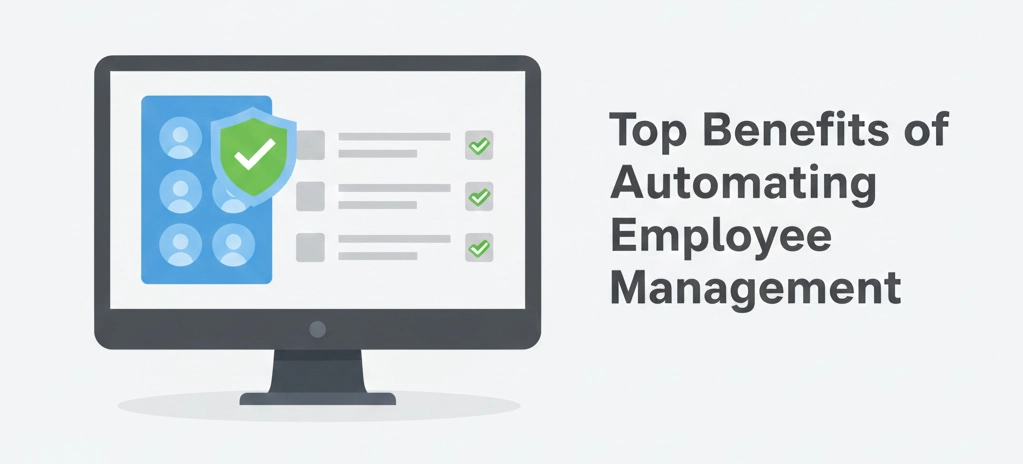
Top Benefits of Automating Employee Management
Let's look at the return on investment (ROI). It isn't just about "modernizing": it is about math.
Reducing administrative overhead
Do this quick calculationCount how many manual touchpoints you have for payroll (data entry, verification, email). Estimate the time per point. Multiply that by your hourly rate.
For most businesses, manual HR costs thousands of pounds a month in wasted time. Automation doesn't just speed this up; it removes the repetitive data entry that leads to burnout.
Eliminating "Buddy Punching"
"Buddy punching" (where one employee clocks in for a friend who is late) is an awkward reality. It is difficult to confront, but it drains your budget.
An automated system with biometric or GPS verification solves this silently. You don't have to be the "bad guy" policing the door. The technology ensures that the person getting paid is the person who actually showed up.
Improving employee transparency and trust
How many times a week does your HR team answer the question, "How many vacation days do I have left?" or "Why was my overtime calculated like this?"
When employees have access to a self-service app, they can see their own attendance logs, leave balances, and salary breakdowns. It stops the rumors and builds trust because the math is visible to everyone.
How to Choose the Right Vendor in Egypt?
The market is crowded. Here is how to filter through the noise and find a partner that actually works for you.
Cloud vs. On-Premise options
This is the first decision you need to make.
- Cloud (SaaS)You pay a monthly subscription. The vendor handles security, backups, and updates. It is accessible from anywhere. This is usually the best choice for growing companies that want to start quickly without buying hardware.
- On-PremiseYou buy the license once and install it on your own servers. You are responsible for security and maintenance. This is typically only necessary for highly regulated industries requiring total data isolation within their own physical building.
Integration with local banks for salary transfers
This is a feature many buyers overlook until it is too late.
Does the software export salary files compatible with your specific bank? In Egypt, banks often require specific file formats to process bulk salary transfers.
If your software exports a generic CSV that your bank rejects, you are back to manual data entry.
Ask the vendor specifically"Do you support the salary file format for [Your Bank]?" If they hesitate, look elsewhere.
If you are looking for a vendor that understands these specific local nuances 2B corporate solutions we bridge the gap between powerful software and the on-the-ground support your team actually needs to keep running smoothly.
It's a solution that balances operational needs with strategic growth, NAS HR by 2B CS offers a unified platform covering everything from biometric attendance to AI-driven performance insights. It is designed specifically for the region, ensuring your payroll stays compliant while giving you the mobile tools to manage a hybrid workforce.
Employee Management System vs. HRMS: What’s the Difference?
Salespeople often use these terms interchangeably, but they serve different purposes. Knowing the difference prevents you from paying for features you will never use.
1. Employee Management System (EMS)
The Focus: Day-to-Day Operations.
What it does: It handles the administrative grind tracking hours, calculating overtime, and processing payroll. It answers the question: "Did they work, and how much do I owe them?"
Best for: Companies that need to fix attendance chaos and ensure accurate salaries.
2. Human Resource Management System (HRMS)
The Focus: The Full Employee Lifecycle.
What it does: HRMS includes everything in an EMS, but adds strategic tools for recruiting (ATS), performance reviews (KPIs), and training. It answers the question: "How do we hire, train, and keep the best people?"
Best for: Companies with a dedicated HR team focused on career growth and talent acquisition.
The Honest Advice: Don't Overbuy
Many Egyptian SMEs make the mistake of buying a complex HRMS when they actually need a solid EMS.
If your main headache is spreadsheets and payroll errors, stick to an Employee Management System. Paying for "Succession Planning" modules when you are struggling to track sick leave is a waste of budget. Start with what solves your immediate problem.
The Truth About Implementation
Buying employee management software will not magically fix a broken company culture or a disorganized HR department. It is a tool, not a miracle worker. Implementing a new system takes genuine effort; you will have to clean up your messy data, train your staff, and navigate a few weeks of resistance from people who prefer the old way.
But the trade-off is clear. You can deal with that temporary friction now, or you can keep dealing with the permanent stress of end-of-month payroll errors.
Before you commit to a vendor, don't just watch the demo video. Ask for a sandbox environment and load five real employees into the system. Run a mock payroll cycle and try to break it with complex shift swaps or messy overtime requests. If the software handles your worst-case scenarios easily, you have found your winner. If it requires a support ticket to do a simple task, keep looking. Your goal is to spend less time on administration, not more.