It’s a scenario every business owner in Egypt has faced. You look at your warehouse (or your back room) and see shelves full of products. You look at your bank account, and the numbers don't match the inventory value.
You ask your sales team, Did we sell the last shipment? They check WhatsApp chat histories. You ask your accountant, Did we bill for it?" They check a pile of paper invoices.
Somewhere between the warehouse and the bank, money is leaking.
If you are nodding your head, you aren't alone. Most local businesses run on a combination of trust, memory, and disconnected Excel sheets. It works when you are small. But the moment you grow, that lack of visibility becomes a liability. This is usually the tipping point where owners start researching erp for small business solutions.
Why Small Companies Need ERP Systems
There is a stubborn myth that Enterprise Resource Planning (ERP) is luxury software for massive corporations of the kind with glass headquarters in New Cairo.
Here is the honest truth: Large corporations can absorb mistakes. If they lose 5% of their inventory to administrative errors, they still make a profit. You can’t.
For a small to medium enterprise (SME), efficiency isn't a (nice to have, it is survival. When you operate with tight margins, you cannot afford to buy stock you don't need or lose sales because you thought you were out of stock. Implementing an erp for small business isn't about looking corporate, it's about tightening your grip on your operations.
Moving Beyond Spreadsheets and Manual Tools
Spreadsheets are excellent calculators, but they are terrible databases.
Let’s look at the (Version Control) nightmare.
- Version 1: You create a price list in Excel.
- Version 2: You update the prices for inflation.
- Version 3: Your sales rep sends an old quote to a client based on Version 1.
Now you have a problem. You either honor the old price and lose money, or you embarrass yourself by retracting the quote.
An erp software for small business kills this problem. There are no "versions." There is only the live system. When you update a price, everyone from the accountant to the sales rep on the road sees the new price instantly.
Driving Digital Transformation for SMEs
In Egypt, "Digital Transformation" has moved from a buzzword to a legal requirement. With the Egyptian Tax Authority (ETA) enforcing e-invoicing and e-receipts, the days of handwritten ledgers are ending.
If you are manually typing invoices into the ETA portal every evening, you are wasting hours of productive time. A modern ERP for small business integrates directly. You create the invoice in your system, and it talks to the tax portal automatically. Digital transformation isn't just about modernizing, it's about compliance without the headache.
Centralizing Data for Growth
Let’s do the math on a standard scenario:
- You have customer data in your phone contacts.
- You have sales data in a spreadsheet.
- You have expense data in a physical file folder.
To answer a simple question like, Is this customer profitable?, you have to cross-reference three different sources.
Centralizing data removes the guesswork. When you use erp systems for small companies, you create a single ecosystem. You can see that Client A buys a lot of revenue, but they also require expensive support and always pay late. Suddenly, you realize your (best) client is actually hurting your cash flow. You can only see that reality when the data is in one place.
Indicators That You Have Outgrown Your Current Tools
You don't wake up one morning and decide to buy software. It happens gradually. Usually, businesses tolerate manual work for too long until something breaks. Here are the red flags that suggest your current setup is costing you money.
Frequent Data Errors and Inventory Discrepancies
When was the last time your physical stock count actually matched your spreadsheet? If you never, you have a problem.
Manual entry is a trap. If a warehouse worker writes down "50 units" but the admin types "5 units," you have just lost 45 units of sales potential. If you find yourself constantly apologizing to customers because you promised an item that isn't actually on the shelf, you have outgrown Excel.
Inability to Generate Real-Time Financial Reports
Here is a litmus test: If an investor asked for your Profit & Loss statement for the last quarter right now, could you give it to them in 5 minutes?
If the answer is, "I need to ask my accountant to compile it, give me three days," you are flying blind. You cannot make quick decisions like whether to restock a hot item or cut costs if your data is always a month old. An erp for small business solves this by updating your financials the second a sale is made.
Managing Operations Across Multiple Apps or Excel Sheets
Count your open tabs. You likely have WhatsApp Web for orders, a bank portal for payments, an Excel sheet for stock, and maybe a separate tool for invoices.
This is "App Fatigue." You are wasting hours just moving data from one window to another. This manual transfer is where 90% of mistakes happen. An integrated erp system for small businesses brings these tabs into one dashboard.
Essential Modules for Small Business Operations
Not all software is created equal. When shopping for an erp for small business, don't get distracted by flashy features you won't use. Focus on these three core engines.
Finance and E-Invoicing Compliance
In Egypt, this is non-negotiable. With the Egyptian Tax Authority (ETA) requirements, your system must handle VAT and e-invoicing automatically.
Do not settle for a system that requires you to export data and upload it manually to the ETA portal. That is a recipe for fines. The right erp Software for small business in egypt
will have a localized module that connects directly to the tax authority, ensuring every invoice you generate is compliant instantly.
Inventory and Supply Chain Control
If you sell physical goods, this is your heartbeat. You need more than just a list of items. A proper module will handle:
- Multi-warehouse management: Knowing exactly which branch has the stock.
- Low-stock alerts: The system emails you to reorder before you run out.
- Expiry date tracking: Crucial for food and pharma businesses to prevent waste.
Integrated CRM and Sales
Your customer data shouldn't live in your sales rep’s personal phone. If that rep leaves the company, your client history leaves with them.
An integrated CRM (Customer Relationship Management) module ensures that every interaction, quote, and previous order is stored centrally. It allows you to see who your best customers are and automate follow-ups, ensuring no lead falls through the cracks.
Cloud ERP: The Cost-Effective Choice
Ten years ago, ERPs required expensive servers and huge budgets. Today, the cloud changes the math completely.
Subscription vs. Capital Investment
Instead of paying thousands of dollars upfront, erp for small business runs on a monthly subscription.
- The Win: You don't drain your cash reserves. You pay a small fee per user, keeping your capital available for inventory and salaries.
Zero Hardware Costs
Hosting your own server in Egypt is a risk you need generators for power cuts and 24/7 cooling.
With erp software for small business on the cloud, the vendor handles the security and hardware. Your data is safe, backed up automatically, and you don't need to hire an IT engineer to keep the lights on.
Speed to Value
Traditional systems took months (or years) to build. Cloud erp systems are pre-built. You aren't coding from scratch, you are configuring settings. This means you can be up and running in weeks, not months.
Key Operational Benefits
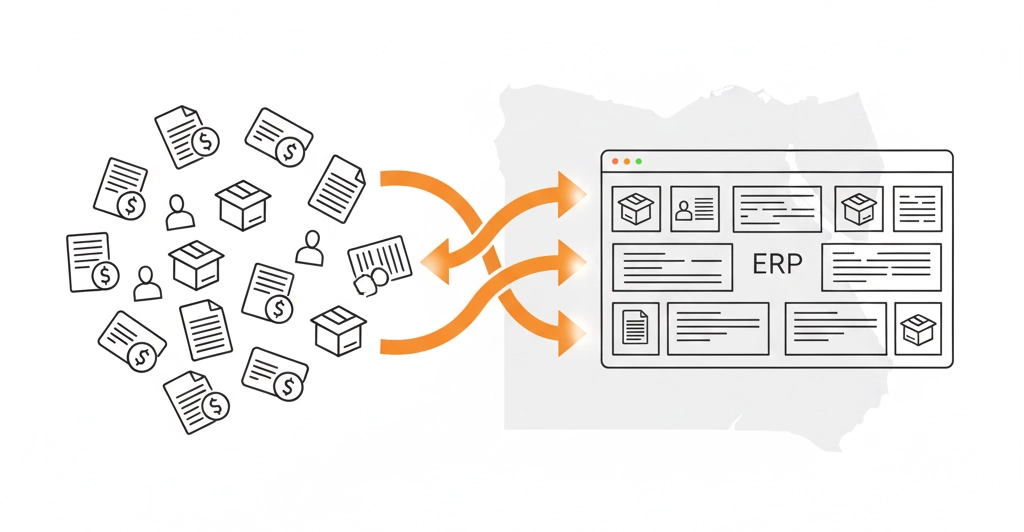
You don't invest in software just to have a fancy icon on your desktop. You invest to get hours of your life back. Here is what actually changes in your daily routine when you implement erp for small business.
Automating Routine Admin Tasks
How many hours a week does your team spend strictly on data entry?
- Creating recurring invoices.
- Sending payment reminders.
- Updating stock levels after a sale.
These are low-value tasks. A human shouldn't be doing them. An ERP allows you to set "rules." For example: If an invoice is 3 days overdue, send Email Template B. The system does the chasing for you. You stop being a data entry clerk and start being a business manager.
Improving Cash Flow and Billing
In the Egyptian market, the problem isn't always sales, it’s collection. If you send an invoice two weeks late because you were "too busy," you get paid two weeks late.
An erp system for small companies speeds up this cycle.
- Convert Quote to Invoice: You can turn an approved quotation into a tax-compliant invoice with one click.
- Instant Delivery: Send it via email or WhatsApp immediately.
- Faster Payment: The faster the client receives the invoice, the faster the check is written. It sounds simple, but it dramatically improves your cash position.
Real-Time Reporting and Analytics
Most small business owners run their companies by "feeling." You feel like sales are up. You feel like expenses are high.
Feelings are dangerous. Data is safe.
With a proper dashboard, you can answer hard questions instantly:
- Which salesperson is generating the highest margin (not just revenue)?
- Which product line is costing more to store than it earns in profit?
This shifts your mindset from, I think to I know.
How to Choose the Best ERP for Your Small Business
The market is flooded with options Odoo, SAP Business One, Microsoft Dynamics, Zoho, and local Egyptian solutions. Choosing the wrong one is an expensive mistake. Use these three filters to narrow your search.
Assessing Scalability and Future Growth
Don't buy for where you are today, buy for where you will be in three years.
Some "light" accounting tools are great for startups, but they crash when you hit 5,000 transactions a month.
On the flip side, don't buy a massive enterprise system if you are a team of five. It will be too complex and expensive.
The Sweet Spot: Look for modular erp software for small businesses. This allows you to start with just the Accounting and Inventory apps today, and "turn on" the HR or Manufacturing modules next year when you are ready. You only pay for what you use, but you have room to grow.
Prioritizing User-Friendly Interfaces
This is the most overlooked factor. You might love the features, but if your warehouse manager finds the screen confusing, he won't use it. If he doesn't use it, your data is worthless.
The Test: Before you buy, ask for a demo. Put your least tech-savvy employee in front of the screen. Ask them to create a sales order. If they can't figure it out in 5 minutes, the software is too hard. Simplicity beats complexity every time.
Ensuring Mobile Accessibility
Business in Egypt doesn't happen at a desk. It happens in traffic, at client sites, and after hours.
If your ERP requires you to be on a specific computer in the office to approve a purchase order, it’s a bottleneck.
A modern erp for small business must have a robust mobile app. You need to be able to:
- Check stock levels while standing in a client's shop.
- Approve an expense request from your phone.
- View daily sales numbers while you are at home.
If the software is tied to the office, it’s already obsolete.
Gaining a Competitive Edge
Let’s be real about the market we are operating in. In Egypt, competition is fierce, margins are often thin, and the economy is unpredictable. You cannot control the currency exchange rate or global supply chains. But you can control your own efficiency.
The difference between a struggling shop and a scaling enterprise usually isn't luck, it is visibility. The winners know their numbers. The strugglers guess.
Adopting an erp for small business is not a magic wand. It will not fix a bad business model or sell a product nobody wants. But it will give you the clarity to see those problems and fix them before they bankrupt you. It turns the chaos of daily operations into a structured machine.
The Honest Next Step
Don't rush out and buy the first expensive license you see. Start with a self-audit this week.
- Track your errors: For five days, write down every time an order is wrong, an invoice is delayed, or inventory is missing.
- Calculate the cost: Estimate how much money those errors cost you.
If that number scares you, it is time to stop using spreadsheets. The transition to erp software for small business in egypt requires effort, but the cost of staying the same is much higher.