ERP manages your entire business. HRMS manages only your employees. If you need one system for accounting, inventory, sales, and basic payroll, choose ERP. If you need advanced recruitment, performance evaluations, and employee self service, add HRMS.
Most small businesses under 50 employees do fine with ERP alone. Growing companies often need both systems working together.
Now let us break down exactly what each system does and how to decide what fits your situation.
Key Differences Between ERP and HRMS
Before comparing features, you need to understand what each system is designed to do. They solve different problems at different scales.
ERP: Managing the Whole Business
ERP enterprise resource planning connects multiple departments into one system. Sales, purchasing, inventory, accounting, manufacturing, and human resources. Everything flows through a central database.
Think of erp solutions as the operating system for your entire company. When a sale happens, inventory updates. When inventory drops, purchasing gets notified. When invoices go out, accounting records the transaction. All automatic. All connected.
Most erps include a basic HR module. This handles employee records, payroll processing, attendance tracking, and leave requests. For many small and medium businesses, this covers enough ground.
The strength of erp solutions is visibility across departments. Your finance team sees labor costs alongside material costs. Your operations team sees headcount alongside production capacity.
But here is the tradeoff. Erps do many things adequately. They rarely do any single thing exceptionally. The HR module exists to support the broader system, not to replace dedicated HR software solutions.
HRMS: Focusing Strictly on Employees
A human resource management system focuses entirely on managing people. Some vendors call it HRIS or HCM. The names differ but the purpose stays the same.
Dedicated hrms systems go deeper than any erp implementation ever will on employee matters. Recruitment pipelines with applicant tracking. Onboarding workflows that guide new hires through their first weeks. An employee performance evaluation system with goal setting, feedback cycles, and review templates. Training management with course tracking.
Hrms systems also provide hrmis self service portals. Staff can update personal information, request time off, view payslips, and complete evaluations without calling HR. This alone saves hours of administrative work weekly.
The reporting differs too. Erps report on financial outcomes. Hr software solutions report on workforce trends. Turnover rates. Time to hire. Training completion. Performance distribution.
If your business treats human resources as a strategic function, hrms systems deliver tools that erp solutions simply do not offer.
Comparing Features and Capabilities
Feature | ERP | HRMS |
Core Focus | Full business (finance, inventory) | Employees only |
Payroll | Basic to advanced | Advanced + compliance |
Recruitment | Basic/none | Full ATS |
Self-Service | Limited | Robust portal |
Best For | <50 employees | 50+ with strategic HR |
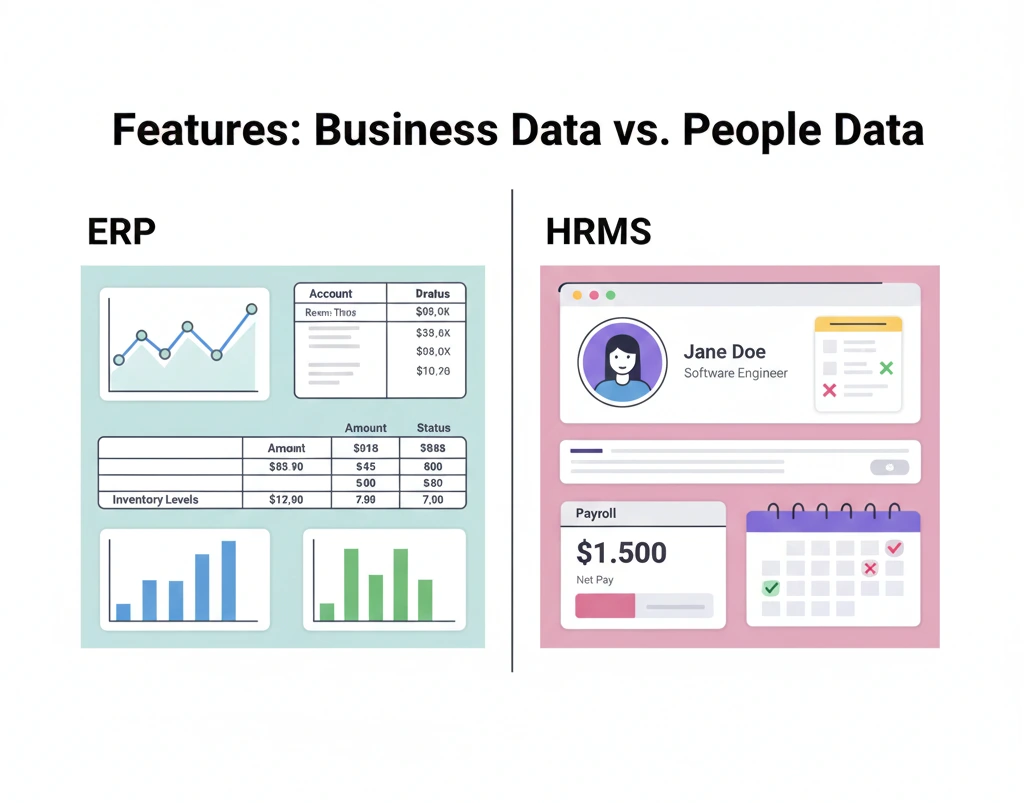
Understanding the theory is one thing. Seeing what each system actually does is another. Let us compare them side by side.
General Tools vs. Specialized HR Features
ERP gives you broad functionality across the business. The HR module typically includes employee master data, payroll calculation, attendance records, leave management, and basic organizational charts. For companies with 20 to 50 employees and straightforward HR needs, this works fine.
HRMS goes narrow and deep. You get everything ERP offers plus recruitment management with job posting, applicant tracking, and interview scheduling. Onboarding checklists that assign tasks to IT, facilities, and managers automatically.
Performance evaluation systems with customizable review cycles, competency frameworks, and 360 degree feedback. Learning management for training programs. Succession planning tools. Employee engagement surveys.
Ask yourself this. Do you just need to track who works here and pay them correctly? ERP handles that. Do you need to attract talent, develop employees, measure performance, and reduce turnover? HRMS is built for those tasks.
User Experience for Employees
In most ERP systems, employees interact with HR through their manager or the HR department. They submit paper forms or send emails. Someone else enters the data. This creates bottlenecks and errors.
HRMS changes this with self service portals. Employees log in and handle tasks themselves. Update their address after moving. Request vacation days and see approval status. Download payslips and tax documents. Complete performance self assessments. Enroll in training courses. View company policies and org charts.
Managers get self service too. Approve time off requests with one click. View team attendance patterns. Complete performance reviews online. Access headcount reports for their department.
This self service approach frees HR staff from administrative tasks. Instead of answering questions about leave balances all day, they focus on strategic work.
Reporting: Financial Data vs. People Data
Erp enterprise resource planning reports answer business questions. What is our labor cost per unit? How does overtime compare to budget? What is the headcount expense by department?
Hr software solutions answer workforce questions. What is our turnover rate? How long to fill positions? Which managers have the highest performing teams? What percentage completed training?
If you only care about what employees cost, erp solutions are sufficient. If you care about how employees perform and develop, hrms systems become essential.
Advantages of an All in One ERP System
One system means one database. Employee data connects directly to payroll which connects to accounting which connects to project costing. No duplicate entry. No reconciliation headaches.
Training is simpler too. Your team learns one interface instead of switching between systems. IT supports one platform. You negotiate with one vendor.
Cost matters here. Buying an ERP with built in HR is often cheaper than buying ERP plus separate HRMS. You pay one license fee. One implementation cost. One support contract.
For businesses with straightforward HR needs, ERP offers genuine advantages. You hire people, pay them, track their time, and manage basic leave requests. If that describes your reality, why add complexity?
Many companies with under 100 employees operate successfully with just ERP. They save money and keep things simple. That is not settling for less. That is matching the tool to the task.
Limitations of ERP for Complex HR Needs
ERP was not built by HR people for HR problems. It was built by operations and finance people who needed employee data for their calculations. The difference shows.
Recruitment in ERP is usually basic or nonexistent. You might get a list of open positions. You rarely get applicant tracking, interview scorecards, or candidate pipelines.
Performance management is often an afterthought. You might store annual review scores. You rarely get goal cascading, continuous feedback tools, or competency assessments.
Employee self service exists in many ERP systems but often feels clunky. It was added later rather than designed from the start.
Reporting gets you headcount and payroll costs. It rarely tells you about flight risk, engagement trends, or skills gaps.
If your HR team keeps building spreadsheets to track things the ERP cannot handle, that is a sign. The workarounds reveal the limitations.
Why Dedicated HRMS is Better for Deep HR Tasks
HRMS vendors focus entirely on human resource challenges. Their development teams talk to HR professionals daily. Their roadmaps prioritize HR innovations.
This shows in the details. Performance reviews have flexible templates that match how your company actually evaluates people. Recruitment workflows mirror how hiring managers and recruiters collaborate. Onboarding sequences remember every task that new hires need in their first 90 days.
Employee experience improves because the self service portal was designed as a primary feature not an add on. Mobile apps let employees handle HR tasks from anywhere.
Analytics go deeper because HRMS tracks data that ERP ignores. Skills inventories. Certification expirations. Engagement survey responses. Learning progress. Career path movements.
If you compete for talent, if retention matters, if developing your workforce is a strategic priority, HRMS delivers capabilities that make a real difference.
The tradeoff is cost and complexity. You now have two systems. Two implementations. Two vendor relationships. Two places where data lives. That overhead only makes sense if the HR capabilities genuinely matter to your business.
Can You Use Both Systems Together
Yes. Many businesses run ERP and HRMS side by side. The question is whether the benefits justify the extra complexity.
Integrating HRMS with Your ERP
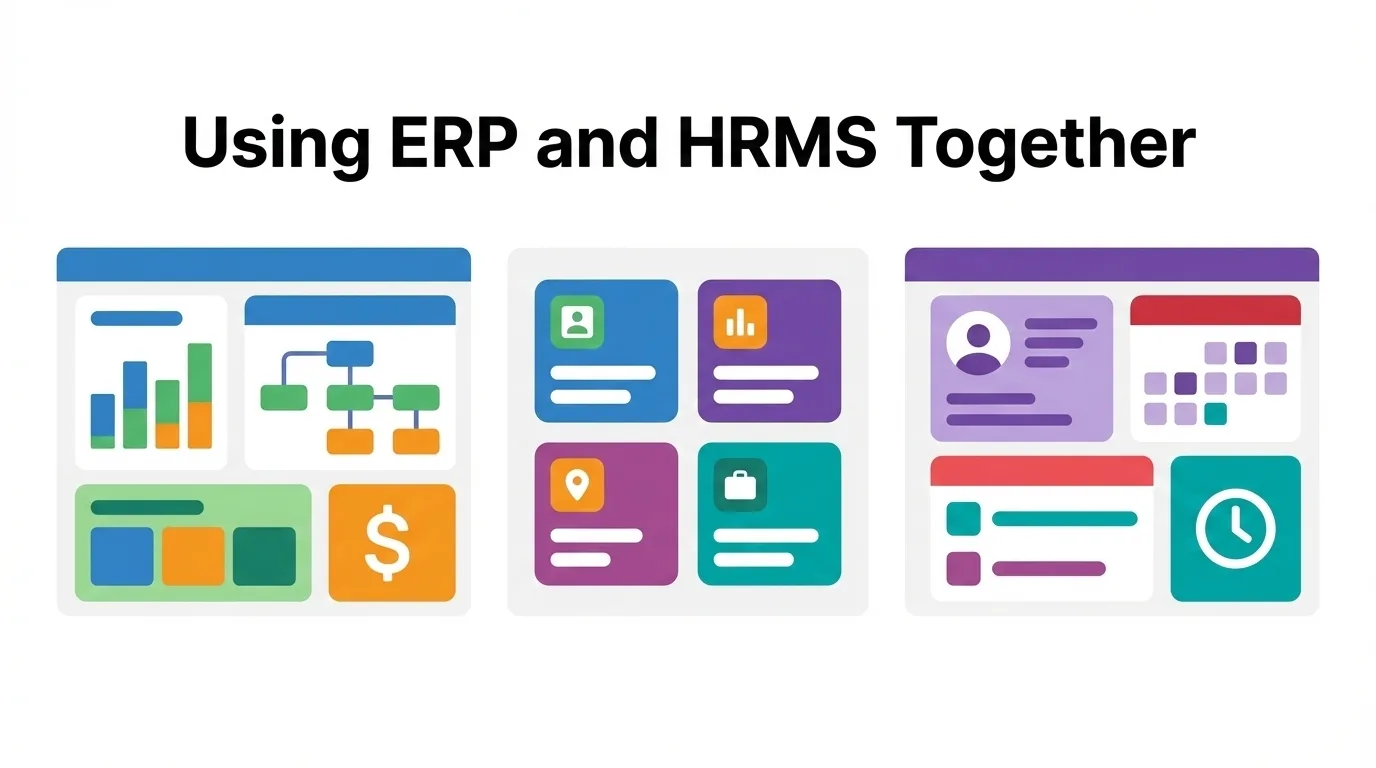
Integration connects the two systems so data flows automatically. Employee records created in HRMS sync to ERP. Payroll calculated in ERP syncs back to HRMS. No manual exports or imports.
Most modern systems support integration through APIs. Some vendors offer prebuilt connectors. Others require custom development.
Common integration points include employee data, organizational structure, payroll results, and attendance records. When someone joins, HRMS handles onboarding then pushes the record to ERP. When payroll runs, results push back so employees see their payslips.
Integration is not free. Expect setup costs, testing time, and ongoing maintenance when systems update.
Ensuring Data Consistency Between Systems
Two systems means two places where data can go wrong.
Define your source of truth. Employee personal information lives in HRMS. Financial data lives in ERP. Payroll originates in ERP. Performance data stays in HRMS. Document these rules clearly.
Run monthly validation checks. Compare employee counts between systems. Flag missing or conflicting records. Assign someone to own data quality across both platforms.
The Hybrid Approach: Best of Both Worlds
The hybrid model is simple. ERP handles core operations including payroll and time tracking. HRMS handles recruitment, performance, training, and employee experience.
Finance works in ERP and sees labor costs. HR works in HRMS and manages people. Employees use the HRMS portal for most tasks. Data syncs automatically between systems.
This costs more than one system. It requires more maintenance. But for companies where both operational efficiency and employee experience matter, the hybrid model delivers real value.
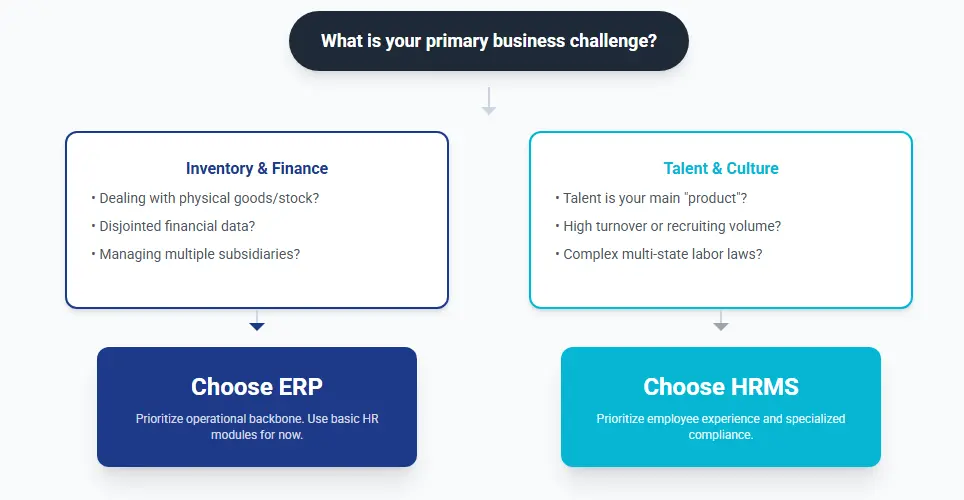
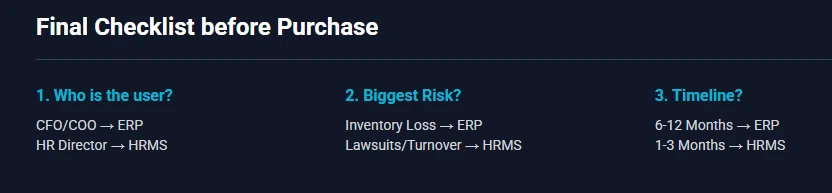
Ask yourself this. Is HR a strategic priority or just administrative? If strategic, hybrid makes sense. If administrative, stick with ERP alone.
How to Choose the Right Setup for Your Business
Theory is useful. But you need a practical way to decide. Here are the factors that actually matter.
Checking Your Company Size and Needs
Small businesses under 50 employees rarely need dedicated HRMS. ERP handles payroll, attendance, and basic records. HR tasks stay manageable with simple tools.
Between 50 and 200 employees, the decision gets harder. Ask these questions. Do you hire frequently? Do you run formal performance reviews? Do employees complain about HR processes? Do you track training and certifications? If you answered yes to most of these, HRMS starts making sense.
Above 200 employees, dedicated HRMS usually becomes necessary. The volume of HR transactions overwhelms basic ERP modules. Self service becomes essential to keep HR staff productive. Analytics matter more as workforce decisions carry bigger financial impact.
Company size is not the only factor though. A 60 person company in a competitive talent market might need HRMS more than a 150 person company with low turnover.
Handling Payroll and Local Laws in Egypt
Egyptian labor law and tax regulations add complexity. Social insurance calculations. Income tax brackets. Overtime rules. Leave entitlements. End of service benefits.
Your ERP might handle this if it includes Egyptian localization. Many international ERP systems do not. You end up with workarounds or separate payroll software.
Egyptian HRMS vendors build these rules directly into their systems. Tax tables update when regulations change. Social insurance calculates automatically. Reports match what government agencies require.
Before choosing, ask vendors specific questions. Does the system calculate Egyptian social insurance correctly? Does it handle the new tax brackets? Can it generate the reports required for labor office submissions?
Do not assume compliance is included. Ask for a demonstration with Egyptian scenarios.
Comparing Costs: One System vs. Two
Running one system is obviously cheaper. But cheaper does not always mean better value.
Calculate the real cost of each option. ERP alone means license fees plus implementation plus annual support. HRMS alone covers only HR so you still need something for accounting and operations. ERP plus HRMS means both sets of costs plus integration expenses.
Then calculate the hidden costs of not having the right tools. How much time does HR spend on manual tasks that HRMS would automate? How much does slow hiring cost when positions stay open? What is turnover costing you that better HR processes might reduce?
These numbers are harder to pin down. But ignoring them leads to bad decisions.
Get quotes for all options. Build a simple comparison. Include license fees, implementation, annual support, and integration. Then make an honest assessment of which gaps hurt your business most.
Frequently Asked Questions
Can an ERP handle all HR tasks
ERP handles basic HR tasks well. Payroll, attendance, leave tracking, and employee records work fine for most small and medium businesses.
ERP struggles with advanced HR functions. Recruitment pipelines, performance evaluation systems, learning management, and employee engagement tools are usually missing or limited.
If your HR needs are straightforward, ERP is enough. If you need to attract, develop, and retain talent strategically, ERP alone falls short.
Do I need an HRMS if I have an ERP
Not necessarily. Many companies operate successfully with just ERP.
You need HRMS when your HR team builds spreadsheets to track things ERP cannot handle. You need it when employees complain about clunky self service. You need it when hiring takes too long or turnover keeps climbing.
If none of these problems exist, save your money. Add HRMS when the pain becomes real.
How do the two systems talk to each other
Through APIs and integration connectors. Data syncs automatically between systems based on rules you define.
Employee records flow from HRMS to ERP. Payroll results flow from ERP to HRMS. Updates happen in real time or on a scheduled basis.
Some vendor combinations have prebuilt connectors. Others require custom development. Ask both vendors about integration before you buy. Test the connection during implementation. Budget for ongoing maintenance when either system updates.